|
MsFiXit.wiki
MrFiXit X - 3 Bookmarks Development
MrFiXit X - Three Core Bookmarks
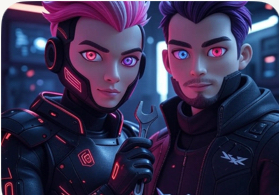
1. Expand 4D Avatar Integration
VMI-Mi ? 4D avatars: time + spatial awareness. Avatars evolve with user behavior across sessions.
- Base: 3D mesh + skeletal rigging (Blender/Unity)
- 4D layer: animation curves + neural behavior prediction
- Tools: Three.js + TensorFlow.js for browser, or Unity WebGL export
- Continuity: store state in IndexedDB or zip ? upload on login
- Example flow: user blink rate ? avatar micro-expressions in real-time
2. MediaWiki Setup Guide (Minimal)
# 1. Server (Ubuntu/Debian recommended)
sudo apt update
sudo apt install apache2 mariadb-server php php-mysql php-gd php-mbstring php-xml php-intl php-apcu unzip git

# 2. Database
mysql -u root -p
CREATE DATABASE wiki CHARACTER SET utf8mb4 COLLATE utf8mb4_unicode_ci;
CREATE USER 'wikiuser'@'localhost' IDENTIFIED BY 'strongpassword';
GRANT ALL ON wiki.* TO 'wikiuser'@'localhost';
FLUSH PRIVILEGES;
EXIT;

# 3. Download & Extract MediaWiki
cd /var/www/html
wget https://releases.wikimedia.org/mediawiki/1.43/mediawiki-1.43.0.tar.gz
tar -xzf mediawiki-*.tar.gz
mv mediawiki-* wiki
chown -R www-data:www-data wiki

# 4. LocalSettings.php (basic)
cd wiki
cp includes/DefaultSettings.php LocalSettings.php
# Edit LocalSettings.php with:
$wgSitename = "MrFiXit X Wiki";
$wgServer = "https://mrfixit.wiki";
$wgDBserver = "localhost";
$wgDBname = "wiki";
$wgDBuser = "wikiuser";
$wgDBpassword = "strongpassword";
$wgEnableUploads = true;
$wgUsePathInfo = false;

# 5. Run installer in browser: https://yourdomain.com/wiki/mw-config/
# Finish ? delete mw-config/ folder after
Extensions to add later: VisualEditor, UploadWizard, SocialProfile, WikiForum
3. Add Interactive Elements
Enhance wiki with client-side interactivity (no heavy plugins initially).
- Avatar preview: Three.js canvas in user page
- Live chat: integrate SimpleWebRTC or Socket.io
- Voice input: Web Speech API
- Drag-drop zip upload for session continuity
<!-- Example: simple avatar placeholder -->
<div id="avatar-preview" style="width:300px;height:300px;"></div>

<script src="https://cdn.jsdelivr.net/npm/three@0.168.0/build/three.min.js"></script>
<script>
const scene = new THREE.Scene();
const camera = new THREE.PerspectiveCamera(75, 1, 0.1, 1000);
const renderer = new THREE.WebGLRenderer();
renderer.setSize(300,300);
document.getElementById('avatar-preview').appendChild(renderer.domElement);

const geometry = new THREE.BoxGeometry();
const material = new THREE.MeshBasicMaterial({color:0x0f9});
const cube = new THREE.Mesh(geometry, material);
scene.add(cube);
camera.position.z = 5;

function animate() {
    requestAnimationFrame(animate);
    cube.rotation.x += 0.01;
    cube.rotation.y += 0.01;
    renderer.render(scene, camera);
}
animate();
</script>
Next steps: combine into single user dashboard page.
Currently there is no media on this page
|
 To enhance your user experience on our website, this site uses cookies.
If you continue to browse, you accept the use of cookies on our site.
See our Privacy Policy
for more information.
To enhance your user experience on our website, this site uses cookies.
If you continue to browse, you accept the use of cookies on our site.
See our Privacy Policy
for more information.